
How To: Perform a Boot-level Factory Reset on an AVA Cinema Remote
DO NOT USE THIS PROCEDURE UNLESS INSTRUCTED BY AVA SUPPORT.
Outcome
This process erases all configuration from a Cinema Remote and restores the firmware from the factory image on the device.
WARNING: This process will trigger Android’s built-in anti-theft protection on the device. The only way to recover the device is to use the original Google account on the device.
Restore Steps
WARNING: DO NOT USE THIS PROCEDURE UNLESS INSTRUCTED BY AVA SUPPORT.
Access the Boot Mode Menu
- Read each WARNING above. Seriously.
- With the remote powered off, keep the volume up button pressed.
-
Turn the device on from the power button.
The power button is a recessed button (almost flush) with the right side above the volume button. It is not the Action button below the volume button.
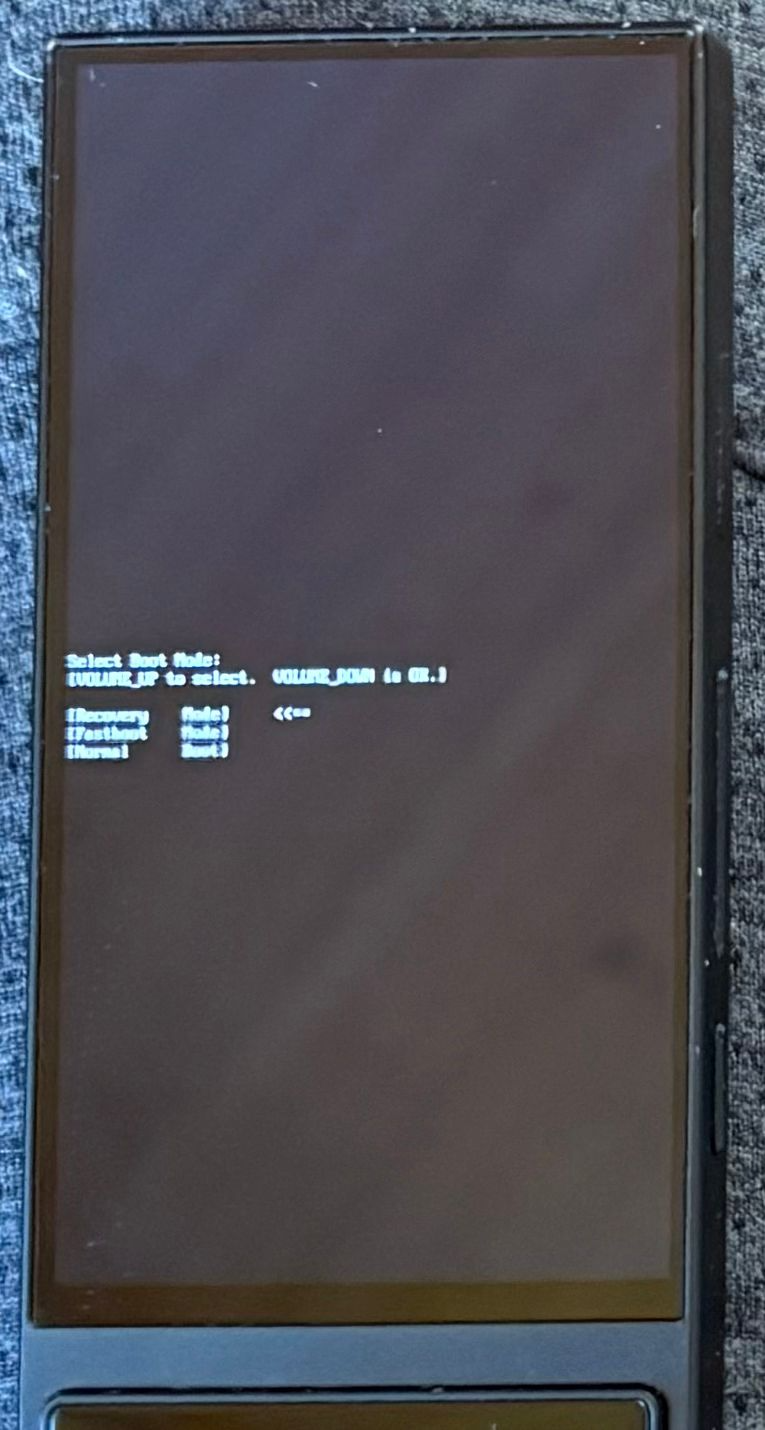 Navigate the Boot Mode Menu
This section addresses menu shown at right.
The menu uses unintuitive button sequences. Read before interacting with this menu.
Only the volume buttons work at this point:
- Volume Up moves the pointer to the next the menu item.
- Volume Down selects the menu item that the pointer is currently on.
- Use Volume Up to Move the pointer to the
Recovery Modeoption in the menu. - Use Volume Down to select
Recovery Mode.
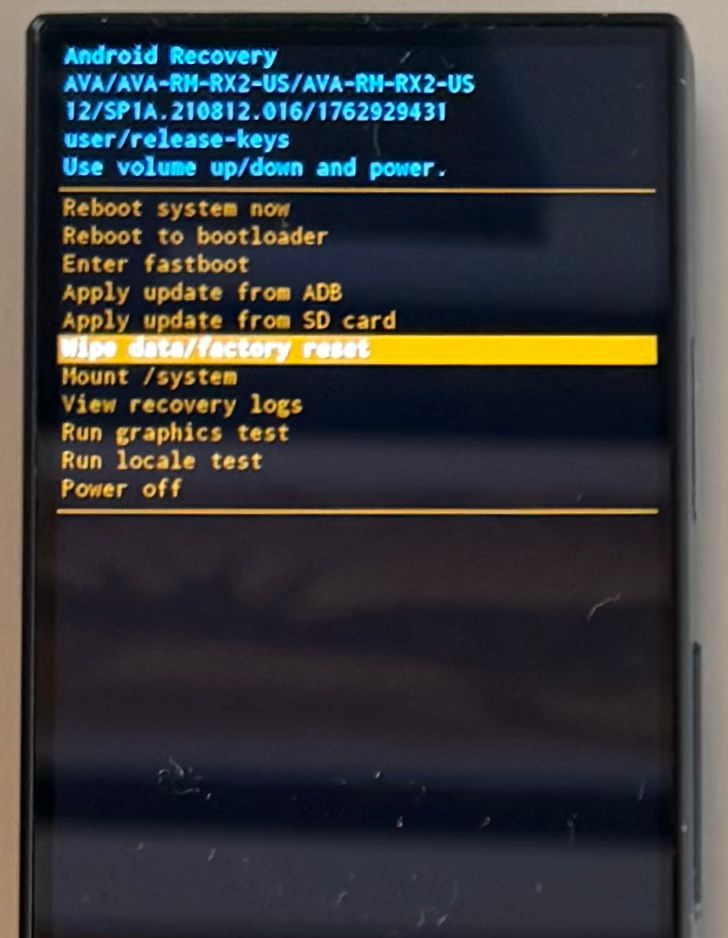 Navigate Android Recovery Menu
The menu works more as you would expect:
- Volume Up moves the selector up to the next the menu item above.
- Volume Down moves the selector down to the next the menu item below.
- Power Button (recessed button above volume) selects the highlighted menu item.
- Move the selector to
Wipe data/factory reset, then press the power button. - Confirm by selecting Factory data reset, then press the power button.
- When the menu becomes active again, select
Reboot system now, then press the power button. - Put the remote on its charge dock to keep it powered during the restore until the general Android First Time User Experience screen shows.
- Continue with the steps on "Restore AVA OS after a Factory Reset."